
Server-Side Tracking Cost: How Much Does Server-Side GTM Cost in 2026?
Server-side tagging cost explained: Google Cloud Run vs managed sGTM hosting, provider prices compared, hidden costs and how to estimate your event volume.
 Tagioo teamUpdated 11 min read
On this page
- What does server-side tagging cost? The short answer
- Why isn't server-side tagging free?
- How much does self-hosting on Google Cloud Run cost?
- How do managed providers price server-side tagging?
- Managed sGTM hosting prices compared (October 2026)
- What are the hidden costs of server-side tagging?
- How do you estimate your event volume?
- Is managed hosting cheaper than self-hosting on Cloud Run?
- How can you reduce server-side tagging costs?
- Is server-side tagging worth the cost?
- Sources and further reading
- Related questions
You've decided to try server-side tagging. Then you open three pricing pages.
One charges per request. One per event. Google Cloud shows a calculator with vCPUs and gibibytes.
So what will it actually cost you? And is "free" ever really free?
Let's put real, sourced numbers on it.
How much does server-side tagging cost? Server-side tagging cost ranges from $0 to a few hundred dollars a month for most small and mid-sized stores. Low-traffic sites can often start on a managed free tier. Self-hosting on Google Cloud Run starts at roughly $90 a month for Google's recommended two servers, before logging and other extras. Setup and maintenance time usually cost more than hosting.
The software itself, server-side Google Tag Manager, is free. You pay for the server that runs it, and for the people who set it up and keep it healthy.
In this guide, you'll find a cost breakdown for self-hosting and managed hosting, a price comparison from each provider's own page, the hidden costs most guides skip, and a simple way to estimate your event volume. We'll also answer "Is server-side tagging free?" and "Is managed hosting cheaper than Cloud Run?"
So, why the wait? Let's begin.
What does server-side tagging cost? The short answer
| Option | Typical monthly cost | Best for |
|---|---|---|
| Managed free tier | $0 | Testing, very low traffic |
| Managed paid plan | Roughly $17 to $200+ | Most stores and agencies that want no infrastructure work |
| Self-hosted Cloud Run | From about $90, plus logging and extras | Teams with Google Cloud skills who want full control |
| High volume or enterprise | Hundreds to thousands | Very high traffic, custom requirements |
These are ranges, not quotes. Your number depends on traffic, how many events each visitor generates, and how much engineering time you count.
New to the topic? Start with what server-side tracking is.
Why isn't server-side tagging free?
Regular, browser-based Google Tag Manager runs in your visitors' browsers. Google pays for nothing but the script download, and so do you.
Server-side tagging moves the work to a server you control. Google's introduction to server-side tagging says it runs "in your own Google Cloud Platform project—or in a different environment of your choosing."
Someone has to pay for that server. You pay for:
- Compute. The tagging servers that receive and forward each event.
- Extras. Logging, network traffic, a load balancer for some setups, and a preview server for debugging.
- People. Setup, testing, updates and monitoring.
Managed providers bundle the first two into a plan. The third never fully goes away.
How much does self-hosting on Google Cloud Run cost?
Google's Cloud Run setup guide is the main reference. As of October 2026, it says:
- Server size: each tagging server is a Cloud Run instance with 1 vCPU and 0.5 GB of memory, on CPU-always-allocated pricing.
- Price: each server costs "approximately $45 /month (USD)."
- Minimum: Google recommends "a minimum of 2 instances to reduce the risk of data loss in case of a server outage." That's about $90 a month.
- Scaling: Google expects autoscaling 2–10 servers to handle roughly 35–350 requests per second.
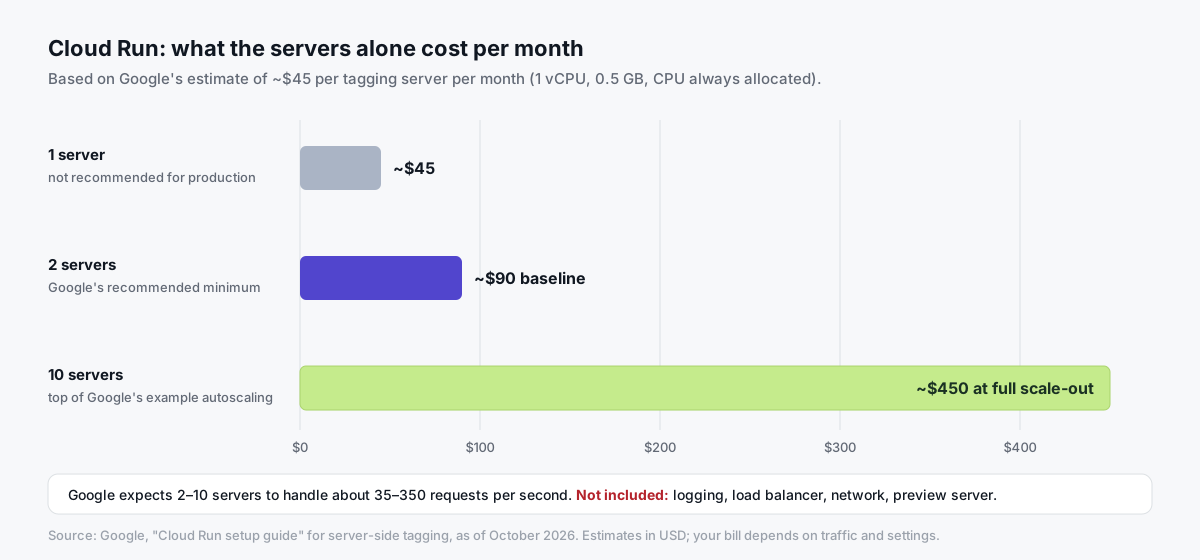
Google adds that the max-instances setting is "the worst case scenario for how much you will need to pay." So set it deliberately.
The logging trap
This one surprises a lot of people.
By default, Cloud Run logs every request. Google's guide warns that above roughly 1 million requests a month, "those log messages may incur significant logging charges," and recommends disabling request logging.
Google Cloud's observability pricing page lists log storage at $0.50 per GiB, with the first 50 GiB per project per month free. A busy tagging server can produce a lot of log data, so exclude request logs in the Logs Router (Google's log exclusion docs) unless you need them.
Other Cloud costs
- Preview server: you need one for debugging, as Google's manual setup guide explains.
- Load balancer: needed for multi-region setups and some same-origin setups.
- Network traffic: outgoing requests to GA4, Meta, TikTok and Google Ads.
- Other services: BigQuery or Firestore, if your container writes to them.
Run your own numbers in the Google Cloud pricing calculator and check Cloud Run pricing.
How do managed providers price server-side tagging?
Managed sGTM providers run the tagging server for you: provisioning, scaling, SSL, updates and uptime. You still own your GTM containers.
Most charge in one of two units:
- Requests. The number of HTTP requests your tagging server receives each month.
- Events. The number of events processed. This maps more directly to what you see in GA4, so it's easier to estimate.
Why does that matter? Because the same visit can be counted in very different ways:
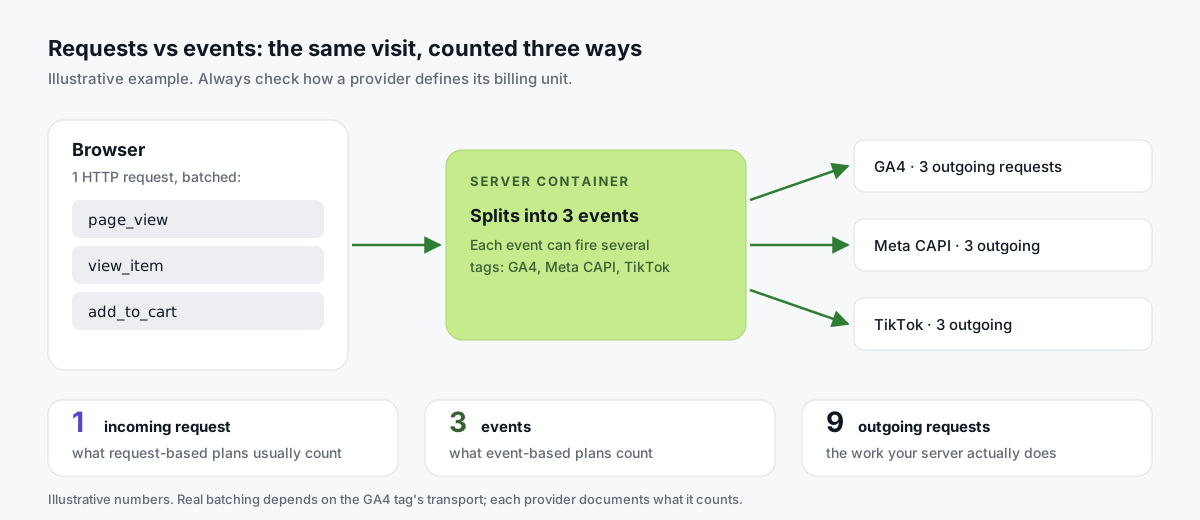
GA4 can bundle several events into one request. And one event can trigger several outgoing requests to vendors. Each provider documents what it counts, so read the definition before you compare.
Plans are usually tiered: a free tier, then bigger limits, more containers or more features. Annual billing is often discounted.
Managed sGTM hosting prices compared (October 2026)
Prices below come from each provider's own public pricing page as of October 2026. They change, so check the linked page before deciding.
| Provider | Free tier | Paid plans (as listed) | Unit | Source |
|---|---|---|---|---|
| Tagioo | 15,000 events per 30 days, no card | Starter $30/mo (500K events), Pro $50/mo (2M), Enterprise $100/mo (5M); 3-day free trial | Events | Tagioo pricing |
| Stape | Up to 10K requests, no card | Pro $17/mo (up to 500K), Business $83/mo (up to 5M), Enterprise $167/mo (up to 20M), billed annually; Custom for unlimited | Requests | Stape pricing |
| TAGGRS | Up to 10,000 requests per month | Basic (750,000), Pro (3,000,000), Ultimate (10,000,000), Enterprise (custom). Basic starts at 22/month; the figure varies by currency and billing term | Requests | TAGGRS prices |
| Addingwell | Up to 100,000 requests per month | €90/mo for 1M requests, €120 for 5M, €210 for 12M, up to €1,190 for 100M; overage listed per 100K | Requests | Addingwell pricing |
A fair word on each:
- Stape has a wide range of tiers, a low entry price on annual billing, and a big library of templates and docs.
- TAGGRS has a free tier, clearly stepped request limits, and says it runs on European infrastructure.
- Addingwell has the largest free tier of the request-based plans here, and publishes its overage rates openly.
- Tagioo prices by events and includes a dedicated, isolated container per account, a custom subdomain with automatic SSL, and generated GA4, Meta CAPI, TikTok and Google Ads container files.
Leon Korteweg's cost breakdown is a useful second opinion. It's from 2024, so treat its prices as dated and check the current pages above:

What are the hidden costs of server-side tagging?
Hosting is usually the smaller part of the real cost.
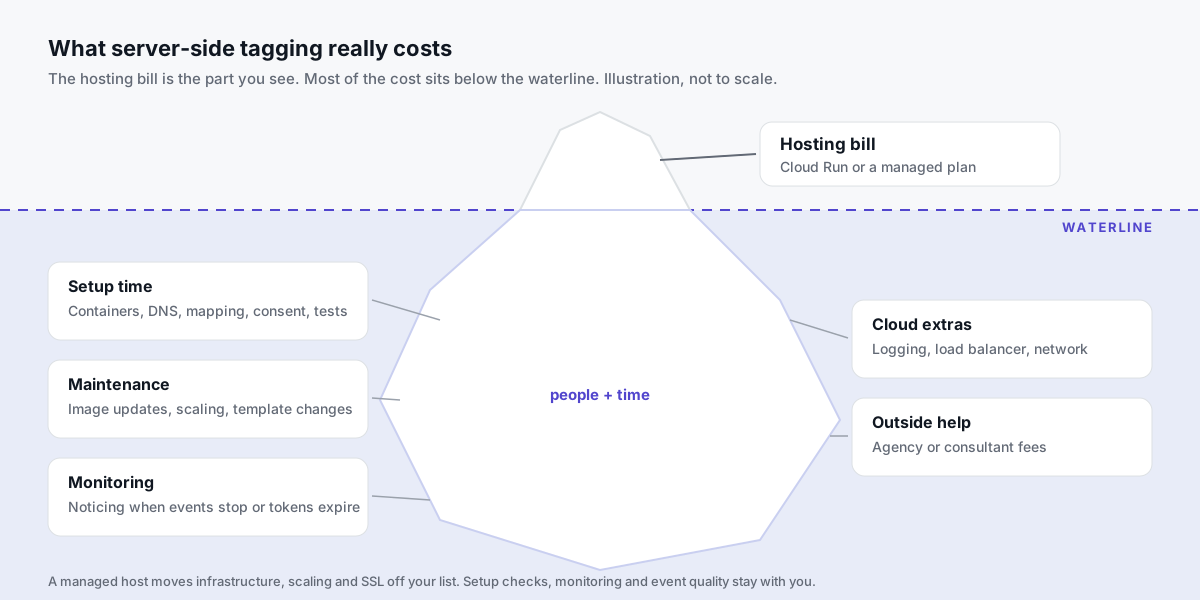
Budget for these:
| Hidden cost | What it involves | Self-hosted | Managed |
|---|---|---|---|
| Setup time | Containers, DNS, SSL, event mapping, consent, testing | All yours | Shorter; pre-built files help |
| Maintenance | Image updates, scaling settings, unhealthy instances | All yours | Handled by the host |
| Template changes | Vendor APIs and templates change over time | Yours | Yours, unless templates are maintained for you |
| Monitoring | Noticing when events stop, a token expires, or a theme update breaks the purchase | Yours | Shared; depends on the dashboard |
| Cloud extras | Logging, load balancer, network | Yours | Included in the plan |
| Outside help | Agency or consultant setup fees | Often the biggest line | Often smaller or none |
How big is the setup line? It depends heavily on experience.
As one data point, WeltPixel, which sells a Shopify tracking app, estimates 10–20 hours of setup for a do-it-yourself tagging server (WeltPixel's Shopify cost comparison). Treat any vendor's estimate as a rough guide, including ours.
Here's the one people forget: a tracking outage you discover two weeks later can cost more than a year of hosting. Monitoring isn't optional.
Tagioo's dashboard shows real-time event counts, and its Run tracking test checks that your GA4 server container is published and your Meta CAPI credentials work. That covers part of the monitoring job, not all of it.
How do you estimate your event volume?
You need a rough monthly event count to pick a plan. Here's a simple method, using hypothetical numbers for illustration only.
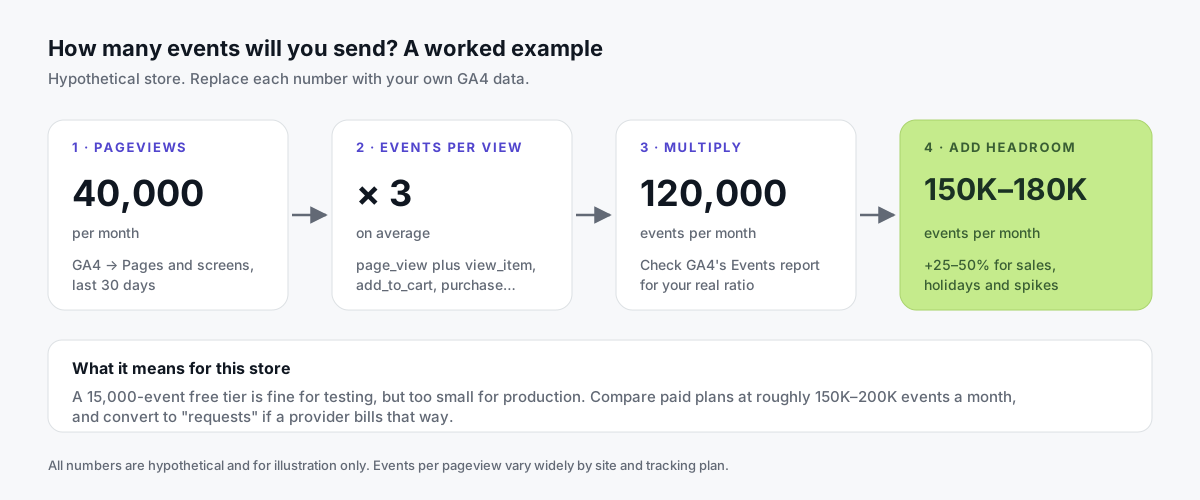
- Find your monthly pageviews. In GA4, open Reports → Engagement → Pages and screens for the last 30 days. Say it's 40,000.
- Count events per pageview. Every page fires
page_view, and some pages addview_item,add_to_cart,begin_checkoutorpurchase, often plusscrolloruser_engagement. GA4's Events report shows your real ratio. Say it's 3. - Multiply. 40,000 × 3 = 120,000 events a month.
- Add headroom. Sales and holidays spike traffic. Add 25–50%: about 150,000–180,000 events a month.
- Convert to the provider's unit. If a provider bills by requests, ask how they count, or run its free tier for a week and read the dashboard.
In this example, a 15,000-event free tier is fine for testing but too small for production. You'd compare paid plans at roughly 150K–200K events a month.
Want a quick look at what your site sends today? The free Website Tracking Checker scans a public page for tags, IDs and whether tracking already goes through a first-party domain.
Is managed hosting cheaper than self-hosting on Cloud Run?
For many small and mid-sized stores, yes, once you count people's time. But not always.
| Your situation | Usually cheaper | Why |
|---|---|---|
| Low traffic, no cloud team | Managed (free or entry plan) | Entry plans cost less than two Cloud Run servers, and you skip setup of the infrastructure |
| Mid traffic, small marketing team | Managed | Hosting, scaling and SSL are handled; your time goes to event quality |
| High traffic, in-house Google Cloud team | Could be either | Self-hosting can compete at scale if your team already runs Cloud projects |
| Strict data residency or custom infrastructure needs | Self-hosted, or a host that meets them | Control over region and setup matters more than the bill |
The comparison flips on one question: who does the work, and what's their hour worth?
How can you reduce server-side tagging costs?
- Disable request logging on Cloud Run unless you need it. Google recommends this at high volume.
- Set
minandmaxinstances deliberately. Two for resilience, and a max you're happy to pay for. - Don't send events nobody uses. Every extra event costs requests and processing. Check which ones you actually report on.
- Filter obvious bot traffic before it fires vendor tags.
- Start on a free tier to measure your real volume before you commit.
- Use annual billing if you're sure. Several providers discount it.
- Use pre-built container files to cut setup time. With Tagioo, the Setup Assistant generates the Web and Server GTM files for you.
Is server-side tagging worth the cost?
It can be, if you spend meaningfully on ads that optimize on conversion data and you're losing events to blocked tags, short cookie lifetimes or missed thank-you pages.
A simple way to frame it: compare the monthly cost to your ad spend. A $30 plan is 1% of a $3,000 monthly ad budget. Then ask whether more complete conversion data is likely to be worth that to you.
What it's not is a guaranteed return. Nobody can honestly promise a specific ROAS lift from tracking alone.
So start small:
- Take a baseline of orders vs GA4 vs ad platforms.
- Set up one conversion end to end, using our server-side GTM setup guide.
- Compare after 2–4 weeks on your own data.
You can start free with Tagioo, no card needed, and upgrade only if the numbers justify it.
Sources and further reading
- Google: Cloud Run setup guide for server-side tagging
- Google: Manual setup guide
- Google: An introduction to server-side tagging
- Google Cloud: Cloud Run pricing, Observability (logging) pricing, Log exclusions, Pricing calculator
- Provider pricing pages, as of October 2026: Stape, TAGGRS, Addingwell, Tagioo
- WeltPixel: What server-side tracking costs on Shopify
Related questions
Is server-side tagging free?
The software is free: server-side Google Tag Manager costs nothing to use. Running it isn't, because it needs a server.
Several managed providers, including Tagioo, offer free tiers for low volume. That's enough to test a setup, but often not enough for a busy store.
How much does server-side GTM cost on Google Cloud?
Google's Cloud Run guide estimates about $45 per server per month and recommends at least two, so roughly $90 a month as a baseline, as of October 2026.
Logging, load balancers and network traffic can add to that. Disable request logging at high volume, as Google recommends.
Is managed hosting cheaper than self-hosting?
For many small and mid-sized stores, yes, once you count engineering time. Several managed entry plans cost less than two Cloud Run servers.
At very high volume, or if you already have a Google Cloud team, self-hosting can be competitive. Compare using your own event volume.
What's the difference between requests and events?
An event is one action, like a page view or a purchase. A request is one HTTP call to your tagging server.
GA4 can bundle several events into one request, so the counts can differ. Check how each provider defines its billing unit before you compare.
What happens if I go over my plan limit?
It depends on the provider. Some charge overage per block of requests, some stop forwarding data, and some ask you to upgrade.
Tagioo's Free plan has a hard cap of 15,000 events per 30 days: the container pauses until the cycle resets or you upgrade, and no data is deleted. Paid plan limits are on the pricing page.
How much does it cost to set up server-side tracking?
If you do it yourself, the main cost is time: often several hours to a few days for a first setup, depending on experience and how many platforms you connect.
Agency setups are usually quoted per project. Managed hosting with pre-built container files can cut the infrastructure part a lot, but you should still budget time for testing.
Is server-side tagging worth the cost?
It can be if you spend meaningfully on ads that optimize on conversion data and you're losing events. It isn't a guaranteed return.
Start small, verify one conversion end to end, and compare against your own data before you scale up.
See your own events, server-side.
Tagioo hosts your server-side GTM container on your own domain and generates the GA4, Google Ads, Meta and TikTok setup for you. Free for 15,000 events a month, no card needed.
Keep reading
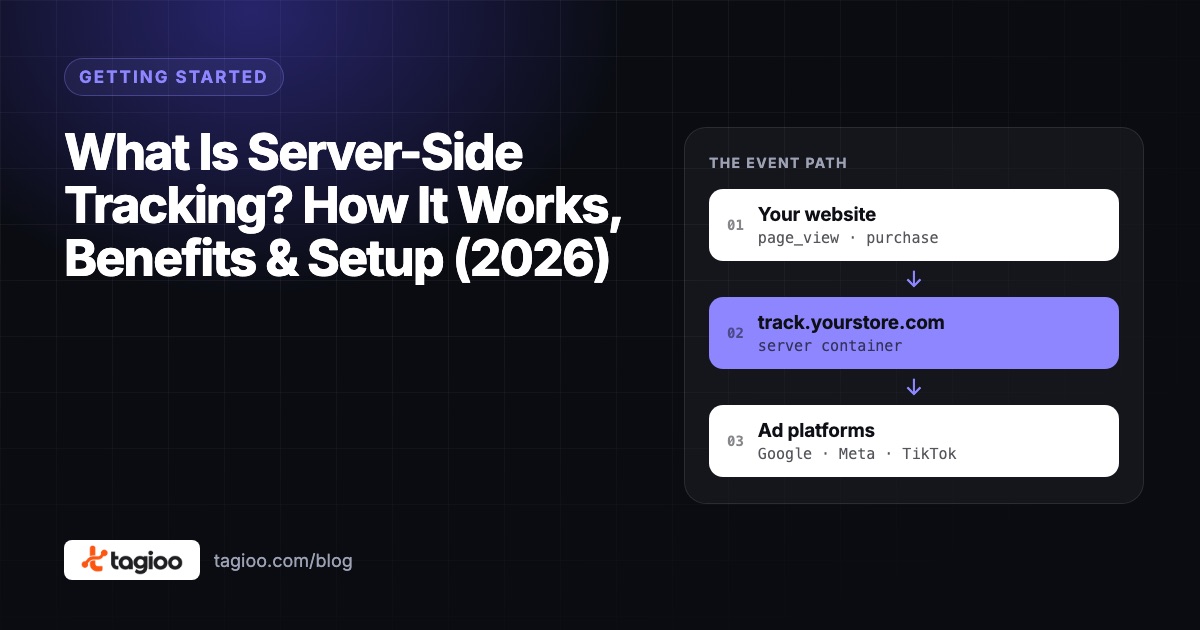
What Is Server-Side Tracking? How It Works, Benefits & Setup (2026)
How server-side tracking works, how it compares to browser tags, what it can and can't fix, and how to decide if you need it.
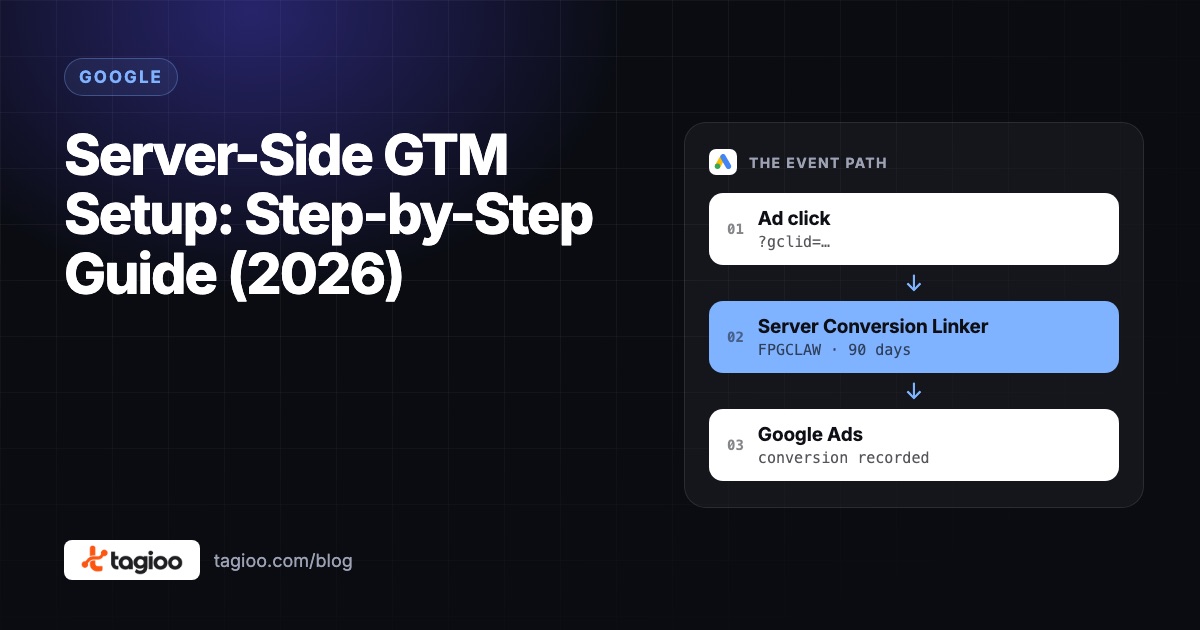
Server-Side GTM Setup: Step-by-Step Guide (2026)
A step-by-step server-side GTM setup, from creating the server container to hosting, DNS, GA4, Meta CAPI, debugging and publishing.
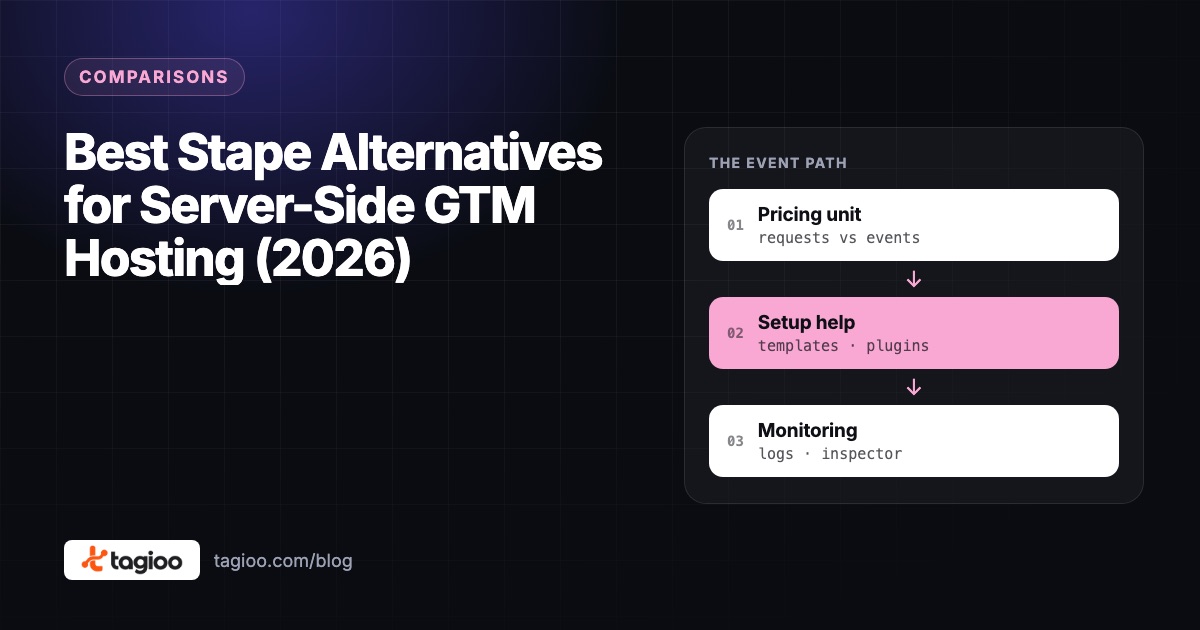
Best Stape Alternatives for Server-Side GTM Hosting (2026)
A fair look at Stape and six alternatives for server-side GTM hosting: pricing units, free tiers, limits, setup help and how to migrate.