Server-side tracking for stores, lead generation & agencies

Your store records the sale.
Does your tracking?

Browser pixels can miss purchase events. Tagioo helps you connect browser and backend signals to your ad platforms through your own tracking domain.

Works with Shopify and WooCommerceShopify setup →WooCommerce setup →

Follow a customer purchase
MANAGED SGTMPurchase → Tagioo → Ad platforms
YOUR STOREDESTINATIONS
Store eventsDEMO
BROWSER EVENTProduct viewedA visitor explores your storeview_item
BACKEND EVENTCustomer completes purchasePurchase data sent to Tagioopurchase
Browser + backend
TagiooFIRST-PARTY SERVER
sGTM
track.yourstore.com
YOUR TRACKING WORKSPACE
  • Your own tracking domain
  • Managed container hosting
  • Web + Server GTM templates
  • Incoming event logs
  • Purchase inspection
CollectInspectRoute
Meta CAPIPurchase via CAPI
Google AdsPurchase conversion
TikTokPurchase via Events API
GA4Purchase event
INPUTBrowser + backend
OUTPUTYour chosen destinations
Illustrative flow. Configure your tags and verify event acceptance in each destination.

Live dashboard

You are losing sales.
If you are not tracking Events correctly.

Review incoming requests, purchase events and daily trends. Then verify delivery in your analytics and advertising platforms.

Tagioo Analytics · Example data Preview
24,891 Events today Sample activity
124 Purchases Unique orders
$6,240 Purchase value Sample value
Hourly events & revenue
Recent events
Purchase meta.pixel · $49 2s
AddToCart ga4 · product #1234 5s
PageView tiktok · /checkout 8s
Purchase meta.pixel · $36 12s
Container status at a glance
Inspect purchase events
Works with your stack
Google Analytics 4 Meta CAPI Google Ads TikTok
SSL Secured First-party domains Guided GTM setup
First-party Your own tracking domain
Isolated sGTM containers
Free 15K events per 30-day cycle
4 steps Guided setup assistant

The problem

Better decisions need
better conversion signals.

Missing sales and leads can leave your ad platforms working with incomplete data. Better tracking helps them learn what converts, so you can improve ROAS, generate more sales and grow profit—not just spend more on ads.

Browser pixels

Browser-only tracking has gaps

Browser tags depend on scripts loading and requests reaching their destination. Blockers, network failures and implementation errors can interrupt that journey.

Inspect the events your setup receives
The fix
Tagioo sGTM

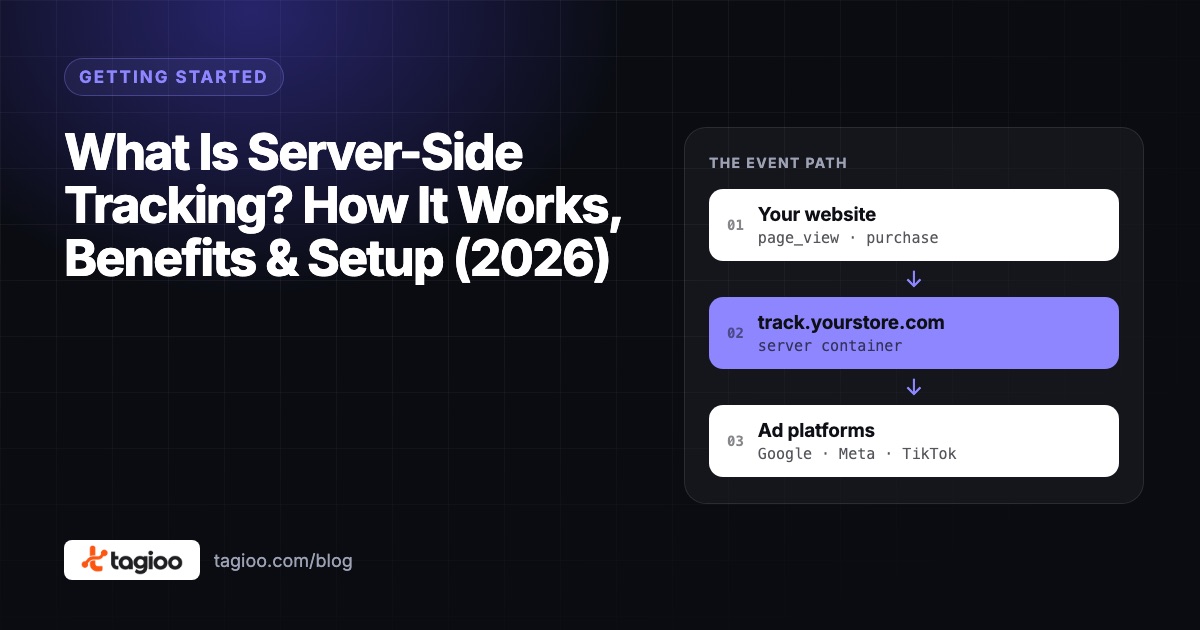
Add a server-side data path

Route events through your sGTM container before forwarding them to analytics and advertising tools. Supported purchase integrations can also send orders from your backend.

Connect browser and backend signals
Cookie restrictions

Attribution needs continuity

Cookie restrictions and missing identifiers can make returning visitors harder to recognize. First-party tagging helps you manage the identifiers your destinations use.

First-party tagging on your own domain

Your tracking toolkit

Set up. Track. Stay in control.

Connect your tracking, see incoming events and spot problems in one place.

Managed hosting

We run your tracking server for you.

Live event view

See page views, leads and purchases as they arrive.

Sales reports

Review sales, revenue and conversion rates over 30 days.

Guided setup

Prepare tracking for Meta, Google, TikTok and GA4.

Offline sales

Send eligible phone and in-person orders to Meta.

Your own tracking domain

Connect your domain. We handle SSL.

WooCommerce plugin

Add ecommerce tracking with the Tagioo plugin.

Purchase alerts

Get a warning when tracked purchases drop.

First-party tracking

Load tracking scripts through your own domain.

Smart monitoring · Example data below

Spot changes in your tracking.
Investigate with context.

See purchase trends, request errors and recent events together, so an unusual drop gives you a place to start investigating.

  • Purchase gap alert Banner fires when purchases today run >50% below your 7-day baseline — scaled for time of day to help put the drop in context.
  • Revenue trend overlay Revenue trend line sits on top of your events-per-day chart so you can correlate traffic spikes with actual sales instantly.
  • Error drill-down by day Click any day in your 30-day table to see which requests errored — 4xx / 5xx broken down so you fix the right thing.
  • 30-day conversion rate history Daily table shows purchases, revenue, conversion rate, add-to-carts, errors — all persisted through server restarts.

Purchase gap detected Today: 3 purchases · 7-day avg: 28 · Gap: −89%
Alert
DatePurchasesRevenueConv.%Errors
Today3$1080.2%↑12
Yesterday34$1,2242.8%2
Mon29$1,0442.4%1
Sun41$1,4763.1%0
Sat37$1,3323.0%1
Purchase Inspector — search by order ID, value, URL
Purchase ORD-8841 $49 meta · ga4
Purchase ORD-8840 $36 meta · ga4

Simple launch flow

Simple setup. No coding.

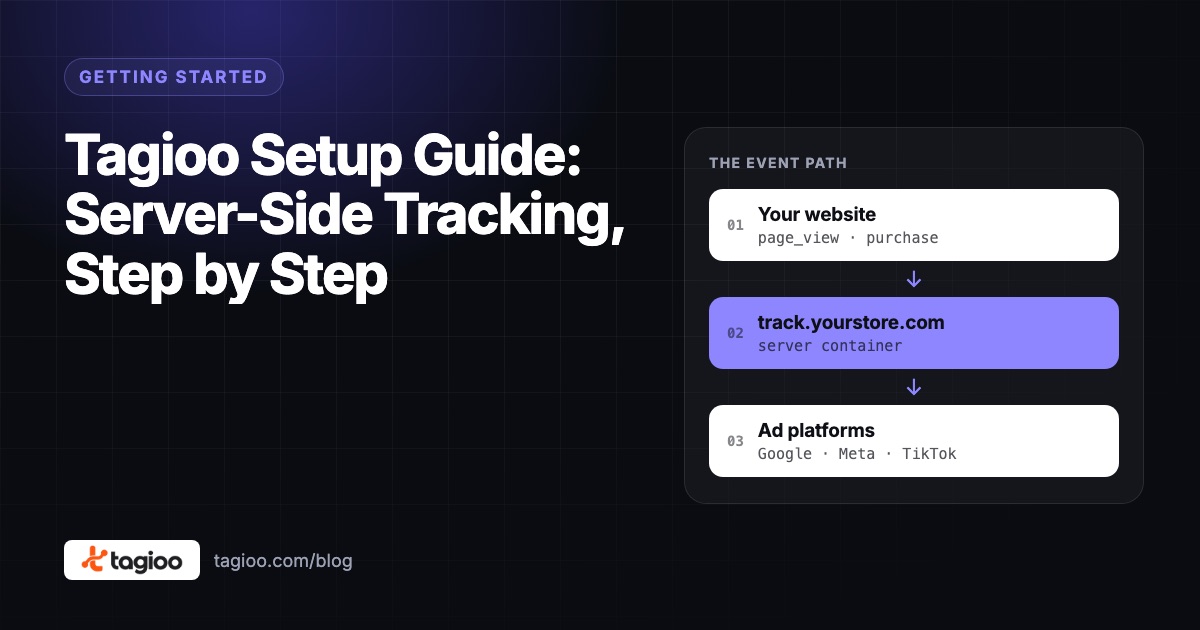
Setup yourself in 10 minutes, It's just like creating an Instagram account

01

Create account in Tagioo

Choose Free or a paid plan, verify your email, and complete checkout if you selected a paid plan.

02

Create GTM Server Container

In Google Tag Manager, create a Server container. Copy the Container Config string — you'll paste it into Tagioo next.

Point track.yoursite.com to the DNS target shown in your container setup.

+4 more steps — Setup Assistant, GTM import, plugin, live test

The full guided walkthrough, with screenshots for every step, is on the setup guide.

If you get stuck, email hello@tagioo.com and our team sets it up for you — free.
Sends data to
Meta CAPI Google Analytics 4 Google Ads TikTok Events API WooCommerce Shopify LinkedIn Snapchat Pinterest Klaviyo Bing Ads ActiveCampaign

Why Tagioo

Your tracking stack.
Less infrastructure to manage.

Keep the flexibility of Google Tag Manager without maintaining the hosting yourself.

Your workflowWith TagiooSelf-managed hosting
Container hostingManaged sGTM containerProvision and maintain the runtime
Tracking domain & HTTPSConnect DNS; automatic SSLConfigure the proxy and certificates
GTM setupGuided template generationBuild or source your own templates
Event inspectionEvent logs and purchase viewsSet up your own log workflow
Hosting planFree or fixed monthly tiersInfrastructure and maintenance costs

Simple pricing

Plans that grow with your event volume.

Start with managed hosting, a first-party domain and guided GTM templates. Choose a paid plan for more event volume and additional tracking tools.

Works with Shopify and WooCommerce
Free
$0/month

Test with real events. No credit card required.

  • ✓ 15,000 events per 30-day cycle
  • ✓ 1 domain · 1 sGTM container
  • ✓ First-party domain + SSL
  • ✓ GTM Setup Assistant
  • ✓ Web + Server GTM template generation
  • ✓ Real-time dashboard + event logs
  • ✓ Email support
Get started free
Starter
$30$0for 3 days

3 days free · then $30/month

For stores starting with server-side tracking.

  • ✓ 500,000 events per billing cycle
  • ✓ 1 domain · 1 sGTM container
  • ✓ Everything in Free
  • ✓ Full-funnel Meta CAPI + dedup
  • ✓ Server-side purchase recovery
  • ✓ Cookie life extension
  • ✓ Email support
Start 3-day free trial on Starter
Enterprise
$100$0for 3 days

3 days free · then $100/month

For agencies and high-volume stores.

  • ✓ 5,000,000 events per billing cycle
  • ✓ Up to 5 sGTM containers
  • ✓ Everything in Pro
  • ✓ Multiple container workspaces
  • ✓ Container status monitoring
  • ✓ Guided GTM setup
  • ✓ Event history and purchase inspection
Start 3-day free trial on Enterprise
WATCH TAGIOO

See it set up, start to finish.

Short videos from the Tagioo team: what Tagioo does and how to set it up on Shopify and WordPress.

More on our YouTube channel →
Same ad budget, more sales?
Tagioo for Shopify: server-side tracking for better ad data
Set up Tagioo with Shopify in 10 minutes
Server-side tracking setup for WordPress and Shopify
THE TAGIOO JOURNAL

Server-side tracking guides.

Step-by-step guides to server-side GTM, Google Ads, Meta Conversions API, GA4, WooCommerce and Shopify tracking.

Eight popular guides. Pick your next step.

Questions

Frequently asked.

What does server-side GTM do?

Server-side Google Tag Manager processes events in a server container before sending them to your chosen destinations. It complements browser tracking and gives you more control over data routing. Your website setup, consent settings and destination tags still determine what is collected and delivered.

What does Tagioo manage for me?

Tagioo provides managed sGTM container hosting, tracking-domain configuration, automatic SSL and a dashboard for incoming events. Setup Assistant generates Web and Server GTM files for your selected destinations. You connect your DNS, import and publish the templates, and verify your tracking.

What is the purchase gap alert?

Tagioo tracks your daily purchase count and compares it to your 7-day rolling average. If today's purchases fall more than 50% below that average — adjusted for time of day so it's not triggered at 9am — a red banner appears in your dashboard. Use the banner as a prompt to investigate changes in traffic, sales or your tracking setup.

What are offline conversions and who should use them?

If your store takes phone orders, cash on delivery, or has customers who buy in-person, those sales never reach Meta through normal tracking. Offline conversions lets you upload those orders directly to Meta CAPI — improving your campaign optimization with all your real sales. Upload only data you are authorized to send and verify that Meta accepts the events.

Do I need to manage any servers?

No. Tagioo handles everything: container provisioning, Nginx configuration, SSL certificate (Let's Encrypt), health monitoring, and automatic container restarts. You just point your DNS and install the web GTM container — we do the rest.

How does the WooCommerce integration work?

Download and install the Tagioo WordPress plugin from Setup Assistant. It automatically pushes the full ecommerce dataLayer — page_view, view_item, add_to_cart, begin_checkout, purchase, and user_data fields — so you don't need GTM4WP or any manual code. Use the generated GTM templates for your selected destinations, publish both containers, and run a tracking test.

How do I pay?

Choose a paid plan and complete card checkout through Paddle. USD plans are monthly subscriptions that renew automatically until canceled. The Free plan does not require a card.

Is my tracking data safe and private?

Tagioo runs separate sGTM containers on managed hosting infrastructure and uses HTTPS for tracking domains. You control the destination tags in your GTM setup. Review our Privacy Policy for how Tagioo handles account and event data; server-side tracking still needs appropriate consent and data configuration.

Start today

Build a tracking setup
you can understand.

Build your first tracking workspace, connect your site, and verify your events. Start on Free with no credit card required.

Free plan available No credit card needed Free setup help