
Meta Conversions API: Setup, Deduplication and Match Quality Guide (2026)
A practical Meta Conversions API guide: Facebook CAPI vs Pixel, the five setup methods, required parameters, deduplication, Event Match Quality and testing.
 Tagioo teamUpdated 15 min read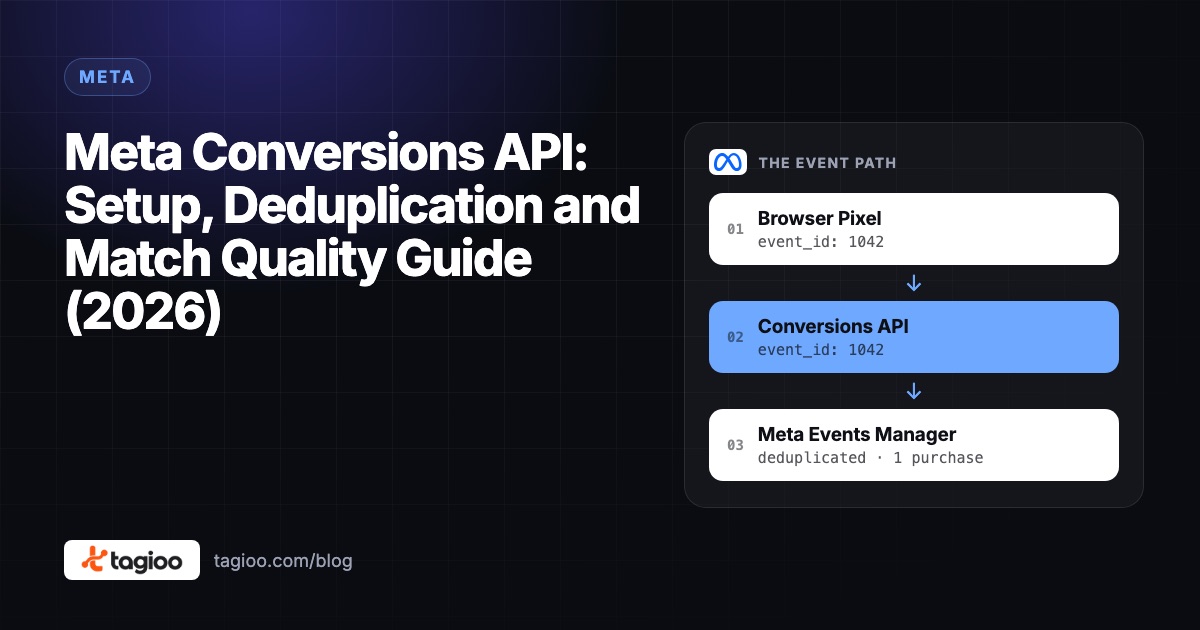
On this page
- What is the Meta Conversions API, exactly?
- How is the Conversions API different from the Meta Pixel?
- Why do advertisers use the Conversions API?
- Do you still need the Meta Pixel if you use CAPI?
- What are the ways to set up the Conversions API?
- Which parameters does a Conversions API event need?
- How does deduplication work with the Pixel?
- What is Event Match Quality, and how do you improve it?
- What is "event coverage", and what's a good target?
- How do you set up CAPI with server-side GTM?
- How do you test the Conversions API with Test Events?
- Does the Conversions API respect consent?
- 9 common Conversions API mistakes
- How do you know it's working?
- How do you set this up with Tagioo?
- Sources and further reading
- Related questions
Your store took 50 orders yesterday. Meta Ads Manager says 38 purchases.
Someone tells you to "just install CAPI." So you switch it on, and now Meta shows 74.
Wait, what? Did sales double overnight? Or is every purchase now counted twice?
Ahh, so many questions. Let's untangle them one at a time.
What is the Meta Conversions API? The Meta Conversions API (CAPI) is a server-to-server connection that sends website, app and offline events from your server straight to Meta, instead of relying only on the Meta Pixel in the visitor's browser. Paired with the Pixel and a shared event_id, it gives Meta a more reliable copy of each conversion without double counting.
Most "Facebook CAPI setup" guides stop at "connect it and you're done."
The parts that decide whether it actually helps come after that: which parameters you send, whether Meta can deduplicate the two copies, and how well your events match real people.
In this guide, you'll find out how the Conversions API works, how to choose a setup method, which fields really matter, and how to test it before you trust the numbers. We'll also answer the questions people ask most, like "Is CAPI better than the Pixel?" and "Is it free?"
So, why the wait? Let's begin.
What is the Meta Conversions API, exactly?
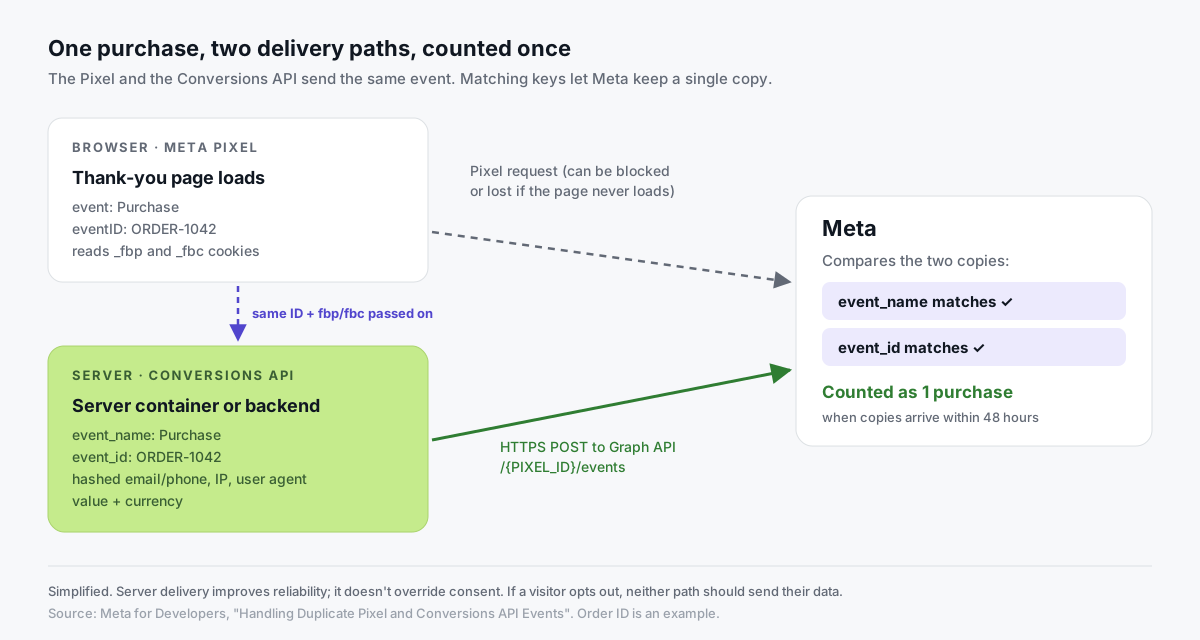
The Meta Pixel is a script that runs in the visitor's browser. When someone views a product or buys, the Pixel sends that event from their browser to Meta.
The Conversions API does the same job from a server.
Your backend, a server-side tag manager or a partner's infrastructure sends an HTTPS request to Meta describing the event. According to Meta's Conversions API documentation, that's a POST to the /{PIXEL_ID}/events endpoint with an access token, and one request can carry up to 1,000 events.
Each event says what happened, when, where, who did it and what it was worth. We'll go through those fields below.
You'll still see the old names around. "Facebook Conversions API", "Facebook CAPI" and "Meta CAPI" all mean the same thing.
How is the Conversions API different from the Meta Pixel?
They're two delivery paths for the same events. Here's how they compare:
| Meta Pixel | Conversions API | |
|---|---|---|
| Runs in | The visitor's browser | Your server, a server container or a partner's server |
| Sends data from | JavaScript loaded from Meta's domain | HTTPS requests from a server to Meta |
| Can be stopped by | Ad blockers, browser limits, a page that never loads | Not by browser extensions, but only fires if your site or backend sends the event |
| Collects automatically | Browser context, _fbp/_fbc cookies, IP, user agent | Nothing. You send every field yourself |
| Backend and offline events | No | Yes (renewals, phone orders, CRM stages) |
| Who controls the payload | Mostly Meta's script | You decide exactly what leaves your systems |
Why do advertisers use the Conversions API?
There are four good reasons, and one claim to be careful with.
1. Signal resilience. Browser events fail for reasons that have nothing to do with the customer. An extension blocks the Pixel, the customer closes the tab before the thank-you page loads, or a payment redirect never returns. Your server knows the order happened, so it can still report it. Our ad blocker guide covers these failure modes.
2. Browser cookie limits. Safari caps how long cookies written by JavaScript can last. A server-side setup on your own domain can improve cookie durability within those rules. See Safari ITP and iOS tracking and first-party tracking.
3. Backend and offline events. Some conversions never happen in a browser: a subscription renewal, a phone order, a lead that closes in your CRM. CAPI can send those with the right action_source.
4. Control over data. With a server in the middle, you can hash, filter or drop fields before they ever reach Meta.
And the claim to be careful with?
In April 2026, Meta said advertisers with a web Conversions API setup saw an average 17.8% lower cost per result than those without one, as reported by PPC Land. That's Meta's own comparison between groups of advertisers, not a controlled test. Your result depends on your traffic and setup.
Do you still need the Meta Pixel if you use CAPI?
Yes, in almost every case.
Meta's best practices recommend a redundant setup: send the same events through both the Pixel and the Conversions API, then let Meta deduplicate them.
Why keep the Pixel? It sets the _fbp and _fbc cookies your server events should forward, it captures browsing context for free, and it's a backup if your server path has a bad day.
What are the ways to set up the Conversions API?
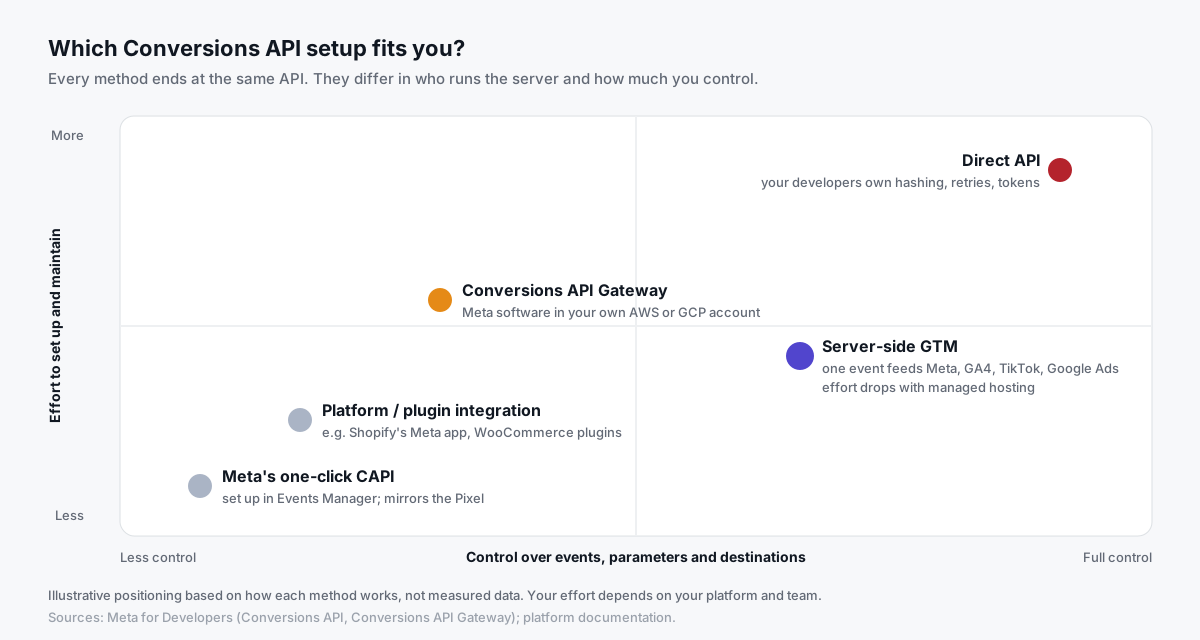
There are five common routes. They all end at the same API.
The difference is who runs the server, and how much control you get:
| Method | How it works | Effort | Control | Best for |
|---|---|---|---|---|
| Meta's one-click CAPI | Turned on in Events Manager; Meta mirrors your Pixel events server-side | Very low | Low | Meta-only advertisers who want a quick start |
| Platform or plugin integration | Shopify's Meta app, WooCommerce plugins and similar | Low | Low–medium | Stores on a supported platform |
| Conversions API Gateway | Meta's software, running in your own AWS or GCP account | Medium | Low–medium | Teams comfortable with a cloud account |
| Server-side GTM | A server container on your subdomain sends CAPI events | Medium (lower with managed hosting) | High | Anyone also feeding GA4, TikTok or Google Ads |
| Direct API | Your developers call the Graph API from your backend | High | Full | Custom stacks with engineering time |
Meta's one-click Conversions API
In 2026, Meta added a way to switch on CAPI from Events Manager without hosting anything. Meta's Gateway documentation mentions it as "Conversions API with Meta" for businesses that only need to send website events.
It's the easiest start. The trade-off, according to PPC Land's coverage, is that it's web-only and sends what your Pixel sends, with no custom parameters. So it can't add backend events your Pixel never sees.
Platform and plugin integrations
Most ecommerce platforms offer a built-in Meta connection.
On Shopify, the Facebook & Instagram app's Enhanced and Maximum data-sharing levels use the Conversions API, while Standard uses only the Pixel (Shopify's data-sharing help).
The catch is visibility. You don't always see the payload, and adding a second integration later can create duplicates. Store-specific guides: Meta CAPI for WooCommerce and Shopify server-side tracking.
Conversions API Gateway
Meta describes the Conversions API Gateway as a self-serve, no-code option. You provision it in a cloud account your business owns (AWS or GCP), and it relays Pixel events to Meta server-side.
Meta generates and passes the event_id for you, so deduplication is handled. According to Meta, the only cost is the cloud resources or partner fees.
It's a good fit if Meta is your only destination. Analytics Mania walks through the setup here:

Server-side Google Tag Manager
Your web GTM container sends events to a server GTM container on a subdomain like track.yourstore.com. A Meta CAPI tag in the server container forwards them to Meta.
The big win: the same incoming event can also feed GA4, TikTok and Google Ads. One browser request, many destinations.
Direct API integration
With engineers and unusual needs, you can call the API directly. You'll own hashing, retries, batching, error handling, token storage and Graph API version upgrades, so be honest about who maintains it.
Which parameters does a Conversions API event need?
Meta's server event parameters reference lists every field. For website events, these are the ones that matter most:
| Parameter | Required? | What to send | Common mistake |
|---|---|---|---|
event_name | Yes | A standard event: ViewContent, AddToCart, InitiateCheckout, Purchase, Lead | Different spelling than the Pixel |
event_time | Yes | Unix timestamp (seconds) of when it happened | Older than 7 days, which fails the whole request |
action_source | Yes | Where it happened, e.g. website, phone_call, physical_store | Left blank |
event_source_url | Yes, for website events | The page URL where it happened | Missing, or always the homepage |
user_data | Yes | Match keys (see below); client_user_agent is required for website events | The server's IP and user agent instead of the visitor's |
event_id | Recommended | The same ID the Pixel sends | Random IDs on each side |
custom_data | For Purchase | value, currency, content_ids, contents | No currency |
Here's what that looks like put together:
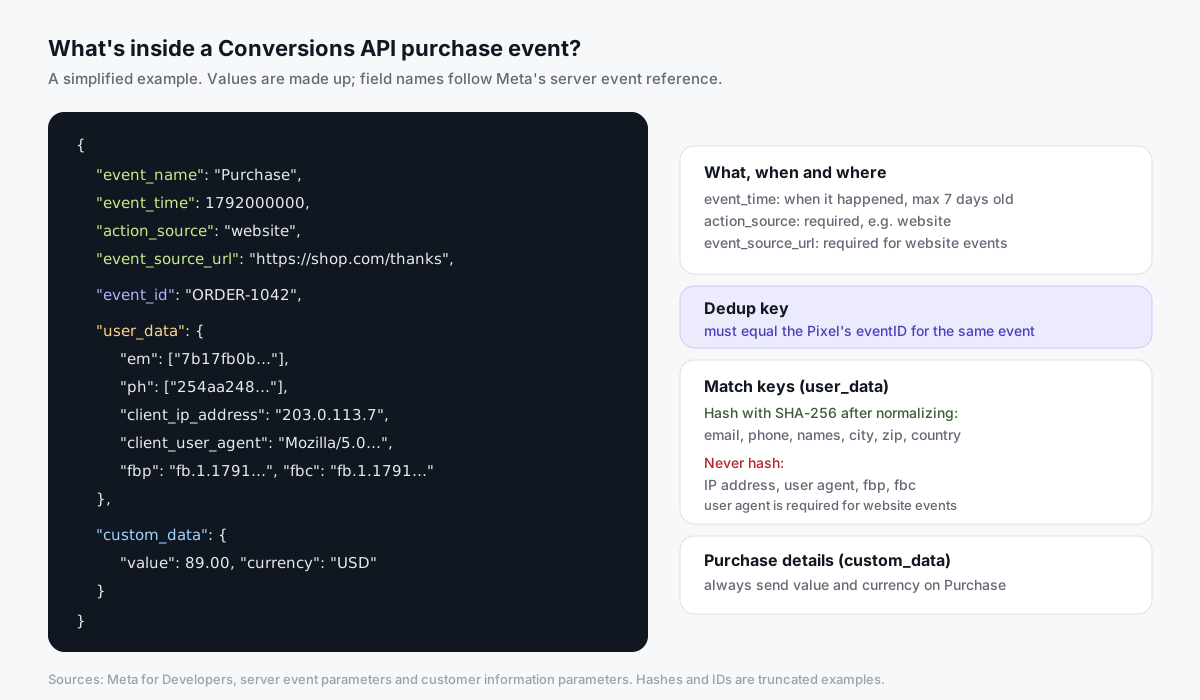
One timing detail trips people up. Send the time the event happened, not the time your queue processed it. And per Meta's reference, if any event in a request is more than 7 days old, the whole request is rejected.
How does deduplication work with the Pixel?
If the Pixel and CAPI both report a purchase and Meta can't tell they're the same, you get inflated numbers. That's the "50 orders, 74 purchases" story from the top.
Meta's deduplication documentation describes two methods:
- Event ID and event name (recommended). The Pixel's
eventIDmust match the server'sevent_id, and the event names must match. If matching events reach the same Pixel ID within 48 hours, Meta discards the later ones. fbporexternal_id. Meta can match on event name plusfbpand/orexternal_id. But this only works when the browser event arrives first.
On the Pixel, the ID goes in the fourth argument:
fbq('track', 'Purchase', {value: 89.00, currency: 'USD'}, {eventID: 'ORDER-1042'});Three practical rules:
- Purchases: use the order ID (or something derived from it), so a refresh or retry keeps the same identity.
- Upper-funnel events: generate the ID once in the browser or data layer, then hand it to both the Pixel and the server.
- One owner per event: two integrations, each sending its own Pixel-plus-CAPI pair, won't share IDs.
What is Event Match Quality, and how do you improve it?
Event Match Quality (EMQ) is a score out of 10 that Events Manager shows for server events.
Meta's best practices page says it reflects how well your customer details can match events to Meta accounts. It also notes that only matched events can be used for attribution and ad delivery optimization. So this score isn't cosmetic.
Here's what you can send, per Meta's customer information parameters:
| Match key | Field | Hash it? | How to prepare it |
|---|---|---|---|
em | Yes, SHA-256 | Trim spaces, lowercase | |
| Phone | ph | Yes, SHA-256 | Digits only, with country code, no leading zeros |
| Name, city, state, zip, country | fn, ln, ct, st, zp, country | Yes, SHA-256 | Normalize per Meta's rules |
| Customer ID | external_id | Recommended | Same value on browser and server |
| IP address | client_ip_address | Never | The visitor's IP, not your server's |
| User agent | client_user_agent | No | Required for website events |
| Browser ID | fbp | No | From the _fbp cookie |
| Click ID | fbc | No | From the _fbc cookie or the fbclid URL parameter |
How to raise your score, in order of impact:
- Send email and phone whenever you legitimately have them, especially on
PurchaseandLead. - Forward
fbpandfbcfrom the browser. Meta notes these values can change, so read them fresh. - Always send the visitor's IP and user agent for website events.
- Use one consistent
external_idacross browser and server. - Send events in real time or close to it, as Meta recommends, rather than in daily batches.
Don't panic if ViewContent scores lower than Purchase. Anonymous browsing events have fewer details. That's normal.
What is "event coverage", and what's a good target?
Event coverage tells you how much of your Pixel traffic your server is also covering.
Meta's API reference defines it as the 7-day average percent of Pixel events that are covered by the Conversions API and share deduplication keys. The same reference gives 75% as an example goal for meeting best practice (event coverage reference).
Low coverage usually means one of two things:
- Your server only sends some events, for example Purchase but not AddToCart.
- Your dedup keys don't line up, so Meta can't pair the copies.
How do you set up CAPI with server-side GTM?
Here's the outline. Your exact screens depend on the tag template you use.
- Create an access token. In Events Manager, open your dataset (Pixel), go to Settings and generate a Conversions API access token. Keep it in the server container only, never in browser code.
- Host a server container on your own subdomain, such as
track.yourstore.com, with SSL. - Route your web container to it. Send your GA4 Google tag to the server container URL, with full ecommerce data (
transaction_id,value,currency, items). - Add an
event_idto every event in the data layer. Use the order ID for purchases. Send the same value to the browser Pixel'seventID. - Add a Meta CAPI tag in the server container with your Pixel ID and token, triggered on the events you want to send.
- Map the events. For example
view_item→ViewContent,add_to_cart→AddToCart,begin_checkout→InitiateCheckout,purchase→Purchase. - Pass user data (hashed email and phone where consent allows), plus
fbp,fbc, IP and user agent.
Prefer to watch? Jon Loomer explains the simpler routes here:

How do you test the Conversions API with Test Events?
Never trust a new setup on day one. Test it first.
Per Meta's Conversions API documentation, the Test Events tool lives in Events Manager under your dataset. It gives you a test_event_code to add to server requests while testing.
- Copy the test code from Test Events.
- Add it to your server tag or API request. Most server GTM templates have a field for it.
- Trigger events on your site: view a product, add to cart, place a controlled order.
- Check both copies appear, browser and server, with the same event name and ID.
- Open the server event and check
event_id, value, currency and which customer keys arrived. - Remove the test code before going live. Meta notes test events are not dropped; they still flow into your data.
Then, over the next days, check deduplication in Events Manager. Meta's verification guide says to open Event Details for an event and look at the Event Deduplication tab.
Does the Conversions API respect consent?
It should, and that's on you to configure. Server-side delivery is not a way around a visitor's choices.
In practice:
- Pass consent state to the server with every event, and block the CAPI tag when consent is denied.
- Only send customer details your privacy notice covers.
- For US state privacy laws, Meta supports Limited Data Use through the
data_processing_optionsparameter (valueLDU), per its server event reference.
This isn't legal advice. Check what applies to your business with a qualified lawyer.
9 common Conversions API mistakes
- Different event IDs on browser and server. The top cause of double counting.
- Mismatched event names, like
Purchaseon the Pixel andpurchaseon the server. - Hashing the wrong fields. IP, user agent,
fbpandfbcmust not be hashed. - Hashing without normalizing.
John@Shop.comandjohn@shop.comproduce different hashes. - The server's IP and user agent instead of the visitor's.
- Stale
event_time. Anything older than 7 days fails the whole request. - Two integrations for one event, such as a platform app plus a separate CAPI tag.
- Leaving
test_event_codein production. - Judging on day one. EMQ and diagnostics take days to settle. Compare weeks, not hours.
How do you know it's working?
Give it two to four weeks, then compare against your store's orders:
| What you see | What it usually means | What to check |
|---|---|---|
| Meta purchases above store orders | Double counting | Event IDs, duplicate integrations |
| Server events far below browser events | Low coverage | Which events the server sends; consent blocking |
| Dedup rate warning in Events Manager | IDs not shared | Same event_id on both paths |
| Low EMQ on Purchase | Missing match keys | Email, phone, IP, user agent, fbp/fbc |
| Meta below orders, but steady | Normal attribution gap | Not every order came from Meta ads |
Remember, you're not chasing 100%. Meta only claims purchases it can tie to an ad within your attribution window.
How do you set this up with Tagioo?
Tagioo hosts a dedicated server GTM container on your own tracking subdomain, with DNS guidance and automatic SSL.
Our Setup Assistant generates ready-to-import Web and Server container files with the Meta Conversions API tag already configured: hashed match keys, fbp/fbc, and event_id deduplication against the browser Pixel, with the order ID as the purchase event_id. The full funnel (ViewContent, AddToCart, InitiateCheckout, Purchase) goes server-side from your first-party endpoint.
You import, preview and publish. Then Event Logs show each incoming event, and Run tracking test checks that your Meta CAPI credentials work.
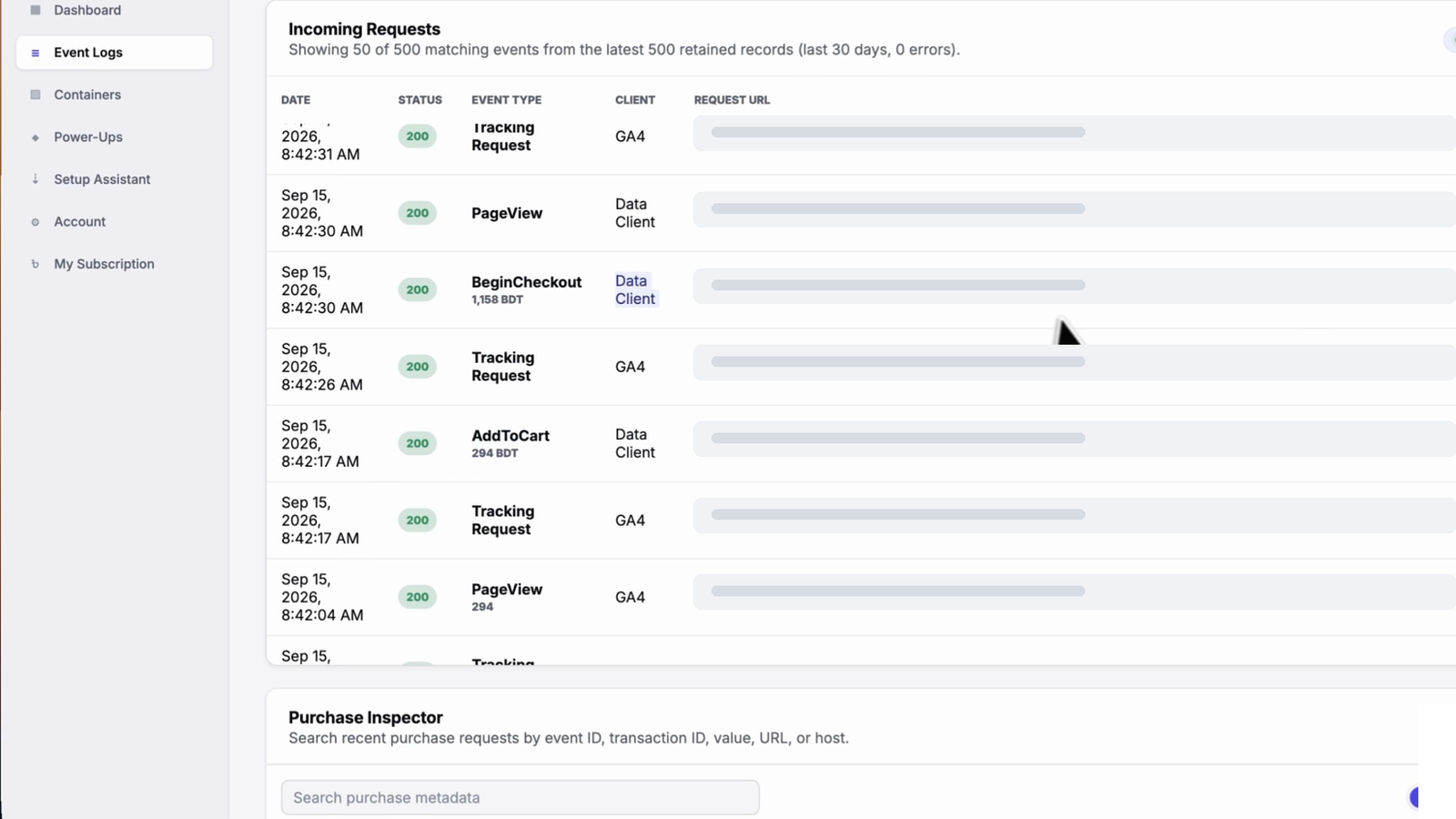
There's a free plan with 15,000 events per 30 days, and no card is needed. See pricing, set it up for WooCommerce or Shopify, or scan your current setup with the free Website Tracking Checker.
Sources and further reading
- Meta for Developers: Using the Conversions API
- Meta for Developers: Server event parameters
- Meta for Developers: Customer information parameters
- Meta for Developers: Handling duplicate Pixel and Conversions API events
- Meta for Developers: Conversions API best practices
- Meta for Developers: Verifying your setup
- Meta for Developers: Event coverage reference
- Meta for Developers: Conversions API Gateway
- Shopify Help Center: Facebook data sharing
- PPC Land: Meta's free one-click Conversions API
Related questions
Is the Meta Conversions API free?
Meta doesn't charge for sending events through the API. Your costs come from whatever runs it: your own server, a cloud account for the Gateway, a partner app or a hosted server container.
Tagioo has a free plan with 15,000 events per 30 days; see pricing.
Is CAPI better than the Meta Pixel?
It's not either/or. The Pixel gives browser context and sets the fbp/fbc cookies; CAPI adds a server copy that doesn't depend on the browser.
Meta recommends using both, with matching event_id values so each event counts once.
Do I need a developer to set up the Meta Conversions API?
Not always. Meta's one-click option, platform integrations and the CAPI Gateway need no code. Server-side GTM needs some tag manager knowledge, unless a tool generates the container for you.
A direct API integration does need a developer.
How long does Meta deduplicate events for?
According to Meta's deduplication documentation, matching events that arrive within 48 hours of the first event with the same event_id are discarded.
Events that arrive further apart can be counted twice.
What is a good Event Match Quality score?
Meta scores EMQ out of 10 but doesn't publish a single "good" number. Higher is better, and purchase events should score higher than browsing events because they carry more customer details.
Focus on sending email, phone, IP, user agent, fbp and fbc on your key events, then watch the trend.
Does the Conversions API work with iOS and ad blockers?
Server events are sent from your server, so a browser extension that blocks the Pixel doesn't stop them. That can recover events the browser would otherwise drop.
It doesn't override Apple's privacy features or a visitor's consent choices, and Meta still attributes only what it can match.
Can I send offline or CRM conversions?
Yes. The Conversions API supports non-website sources such as phone calls and physical stores through action_source.
Tagioo also supports offline conversion uploads to Meta; check pricing for which plans include it.
See your own events, server-side.
Tagioo hosts your server-side GTM container on your own domain and generates the GA4, Google Ads, Meta and TikTok setup for you. Free for 15,000 events a month, no card needed.
Keep reading
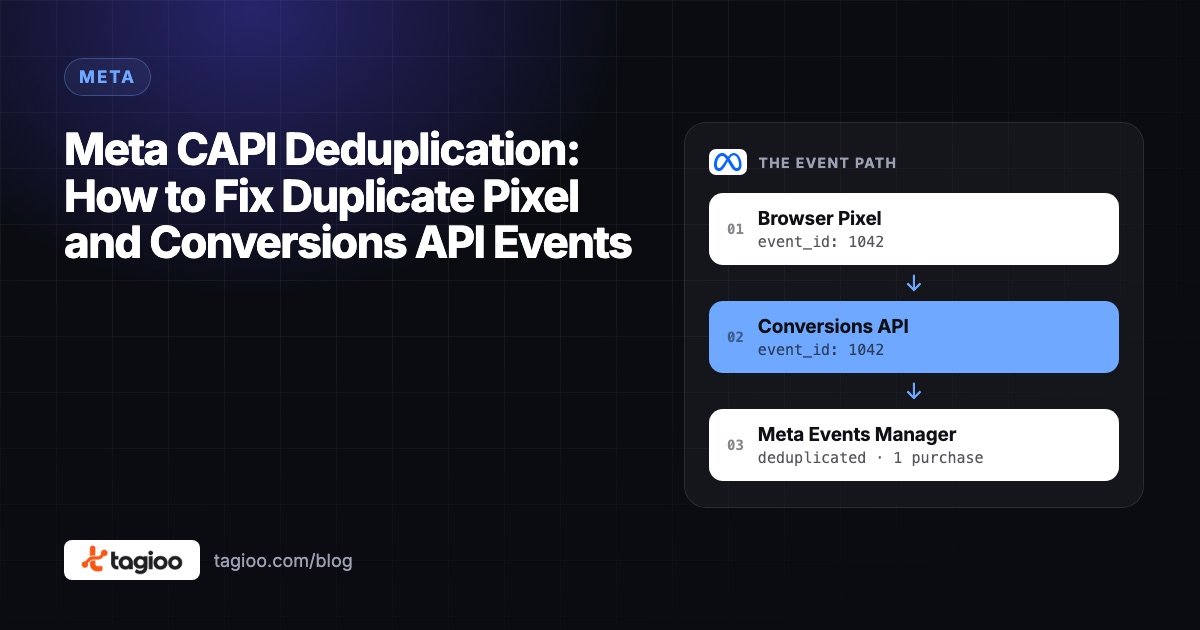
Meta CAPI Deduplication: How to Fix Duplicate Pixel and Conversions API Events
Why Pixel + CAPI can double count purchases, how Meta's event_id matching works, and a 7-step checklist to prove each sale counts once.
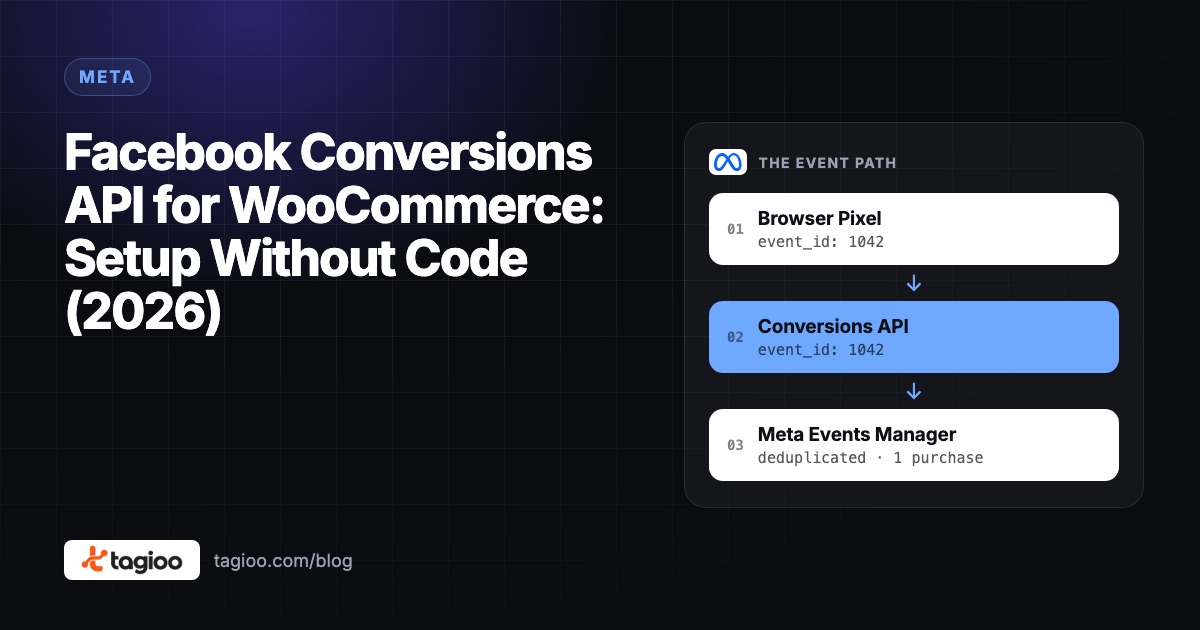
Facebook Conversions API for WooCommerce: Setup Without Code (2026)
Your options for Meta CAPI on WooCommerce, a no-code server GTM setup, and how to check deduplication and match quality.
Server-Side GTM Setup: Step-by-Step Guide (2026)
A step-by-step server-side GTM setup, from creating the server container to hosting, DNS, GA4, Meta CAPI, debugging and publishing.